
Assalam o Alaikum, friends, Farooq here! Did you lose your K-Electric bill? Or maybe it never reached your home this month. This happens to many people in Karachi. Do not worry. You do not need to visit any office or stand in a long line.
Now you can get a duplicate bill online. It is free, fast, and easy to do. You only need your account number or your contract account number. Type it in, and your bill shows on the screen. Then you can download it or print it. To ger free energy we need to install solar panels at home.
A duplicate bill is the same as your original bill. You can use it to pay your bill online, at a bank, or at a shop. Many people also use it as proof of address. In this guide, I will show you each step in simple words. Follow along, and you will finish in 2 minutes. Check IESCO Bill Online 2026: Free Duplicate Bill in 1 Minute
Pro Tip: Save a PDF copy of every bill on your phone. Also write your account number in your notes app. Next time, you will not need to search for the number at all.
How to Check, Download and Print Your KE Bill (Complete Guide)
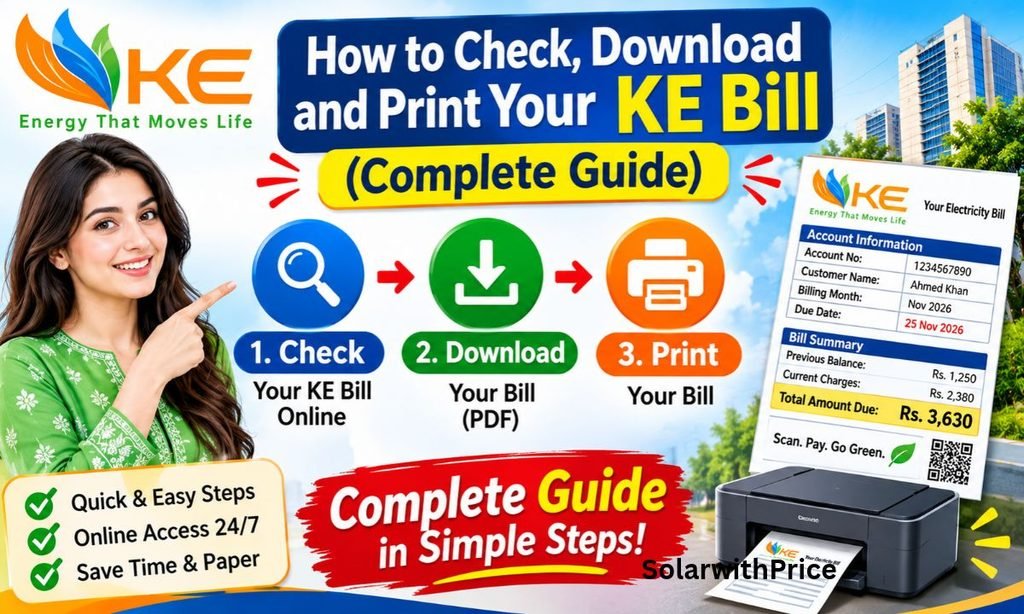
Lost your paper bill? Did the meter reader skip your house this month? Do you need a copy for a bank, a landlord, or a tax file? A K-Electric duplicate bill solves all of these problems. It is a free copy of your current electricity bill, and you can get it in a few minutes from your phone.
This guide shows every working method for Karachi, Hub, and nearby areas. You will learn how to check your K-Electric bill online, by WhatsApp, by SMS, and in the KE Live app. You will also learn what each line on the bill means, how to fix common problems, and how to avoid late fees.
What Is a K-Electric Duplicate Bill?
A K-Electric duplicate bill is an exact digital copy of your monthly electricity bill. It shows the same amount, due date, units used, and charges as the paper bill that arrives at your door. Many people also call it a “KE bill copy,” “KE bill check,” or “KESC duplicate bill.”
You can use it to pay your bill at a bank, in a mobile wallet, or in a banking app. Most places accept the printed copy or the screen copy. The bill number and account number are what matter.
Quick answer for Google and AI search: To check a K-Electric duplicate bill, find your 13-digit account number, open the KE website or KE Live app, choose the duplicate bill option, enter the number, and view or download the PDF. You can also message KE on WhatsApp at 0348-0000118 or send an SMS to 8119.
Why You May Need a Duplicate Bill
Real life gets busy, and paper gets lost. Here are the most common reasons people look for a duplicate copy.
- The original bill never reached your home.
- Your bill is torn, wet, or unreadable.
- You want to pay in the last few days and cannot find the paper.
- You are a tenant, and your landlord asks for a copy.
- You need proof of address for a bank, school, or SIM.
- You want to compare this month with last month’s units.
- You are applying for a name change, load change, or new service.
- You live abroad and pay for your family’s bill.
Pro tip: Do not wait until the last day to look for your bill. Check it at least five days before the due date. A slow app, a weak signal, or a bank holiday can ruin your plan on the final day.
What You Need Before You Start
You need very little. Keep these things ready, and the whole process takes about two minutes.
- Your 13-digit account number (the most important item)
- A phone, tablet, or computer with internet (or any phone for SMS)
- Your registered mobile number (for the app and SMS service)
- Your CNIC, only if you must call or visit KE to recover a lost account number
Where to Find Your Account Number
Look at the top part of any old KE bill. The account number is printed near your name and address. It is a long number, and it stays the same every month. Always copy it exactly as printed.
If you cannot find an old bill, try these places:
- A bank receipt or mobile wallet receipt from a past payment
- A screenshot in your gallery or WhatsApp chat
- Your family member’s phone, if they pay the bill
- The “Bills” section of your payment app, if you saved the KE bill there
Real-life tip: Many families in Karachi keep one photo of the bill in a “Home Documents” album on their phone. When the paper bill goes missing, the account number is right there. Do this today, and you will thank yourself later.
Account Number vs Other Numbers on the Bill
New users often mix up the numbers. This table clears it up.
| Number on Bill | What It Does | Use It for Duplicate Bill? |
| Account number (13 digits) | Identifies your connection | Yes, this is the main one |
| Bill or invoice number | Identifies this month’s bill only | No, it changes each month |
| Meter number | Identifies the physical meter | No |
| Tariff code | Shows your rate category | No |
| Complaint number | Tracks a complaint you filed | No |
Important: A K-Electric number does not work on the government-company bill sites used in other cities. Karachi has its own system. If a portal says “not found,” you may be on the wrong website.
How to Check K-Electric Duplicate Bill Online (Website Method)
This is the classic method. It works on any phone or computer with a browser.
Step-by-Step Guide
- Open your browser and go to KE’s official website.
- Find the Duplicate Bill or View Bill option on the home page or the customer service menu.
- Type your 13-digit account number in the box.
- Complete the CAPTCHA, which is a small puzzle to prove you are a real person.
- Press the submit or search button.
- Your bill appears on the screen with the amount, due date, and units.
- Use the print or download button to save it as a PDF.
Pro tip: If you are on a phone, turn it sideways. The bill looks bigger, and it is easier to read the small numbers.
Safety Warning: Beware of Copycat Sites
Many private websites copy the “KE duplicate bill” name. Some are harmless. Some collect your data or show ads that trick you. Always use KE’s own website or the KE Live app. Never enter your card number, PIN or one-time password on a bill-check page. A bill check needs only your account number.
How to Check K-Electric Bill on WhatsApp
WhatsApp is the easiest method if you already use it all day. KE runs an official WhatsApp service that works around the clock.
Steps for the KE WhatsApp Bill Check
- Save 0348-0000118 in your phone contacts. Name it “KE WhatsApp.”
- Open WhatsApp and start a chat with that contact.
- Send the word Hi.
- The chatbot shows a menu. Choose the duplicate bill option.
- Enter your 13-digit account number when asked.
- Wait a few seconds. Your bill details or bill copy appear in the chat.
- Save the file or forward it to your family member.
Real-life tip: Many sons and daughters who live abroad use this method. They message the bot, get the bill, and pay it from their own banking app. The bill is ready in minutes, even when their parents are asleep.
Why WhatsApp Works Well
- It is free to use, apart from your normal internet charges.
- It works at night and on public holidays.
- You do not need to install a new app.
- You can forward the bill to a bank or landlord in one tap.
Note on fake numbers: Some websites list different WhatsApp numbers. Use the number on KE’s official pages and your own bill. If a chat asks for your card PIN or a code sent to your phone, stop. KE’s bill service never needs that.
How to Get Your KE Bill by SMS (No Internet Needed)
No data balance? No problem. SMS works on any basic phone. This is a great backup for load-shedding hours when your Wi-Fi router is off.
Step 1: Register Your Number
Send an SMS to 8119 in this format:
REG [space] your 13-digit account number
You will get a reply confirming your registration. You only do this once.
Step 2: Ask for Your Bill
Send an SMS to 8119 like this:
BILL [space] your 13-digit account number
KE sends back your bill amount, due date, and payment status.
Useful SMS Commands
| Task | What to Type | Send To |
| Register your number | REG account number | 8119 |
| Get bill details | BILL account number | 8119 |
| Report a fault or send a message | CHAT your message | 8119 |
Pro tip: The SMS gives you the amount and due date, not a full bill with all charges. If you need a printable copy, use the website, WhatsApp, or the app.
How to Download a Duplicate Bill in the KE Live App
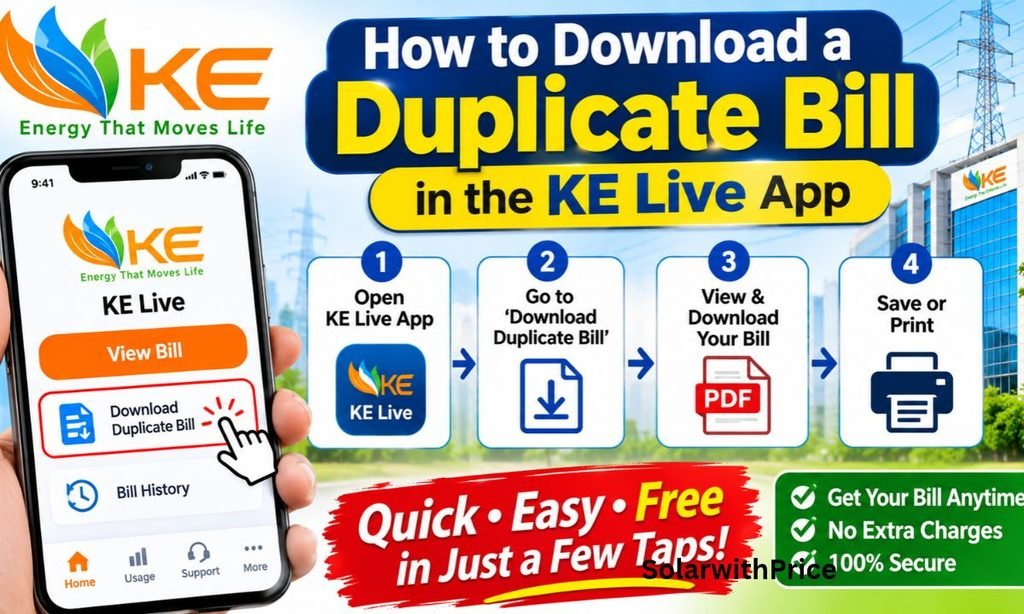
KE Live is the official KE mobile app. It is free and works on Android and iPhone. It is the best choice if you check your bill every month.
What You Can Do in KE Live
- View and pay your bill
- Download a duplicate bill as a PDF
- See power status and load-shedding updates
- Register and track complaints
- Check your billing history
- Report electricity theft
- Follow a new connection request
Steps to Download Your Bill in the App
- Install KE Live from the Play Store or App Store.
- Open the app and create an account with your mobile number.
- Link your 13-digit account number as the app asks.
- Open the main menu and tap Duplicate Bill.
- Pick the month you want.
- Download the PDF.
Good to know: The app lets you download your last six months of duplicate bills. That is perfect when a bank asks for proof of address from recent months.
Real-life tip: Link your account number as soon as you install the app. If you wait until the due date is near, small problems, like a late verification code, can cost you time.
Which Method Is Best? A Simple Comparison
Every method has strong and weak points. Use this table to choose.
| Method | Needs Internet? | Gives Full Bill PDF? | Best For |
| KE website | Yes | Yes | Printing a copy at home or a shop |
| WhatsApp (0348-0000118) | Yes | Yes, bill details or copy in chat | Quick checks and sharing with family |
| SMS (8119) | No | No, only amount and due date | Basic phones and poor internet |
| KE Live app | Yes | Yes, up to six months | Monthly users and paying in the app |
| Call 118 or 021-99000 | No | No | Lost account number or special problems |
| Visit a KE center | No | Printed copy possible | Name change and complex cases |
My simple advice: Use the app for regular monthly checks. Keep WhatsApp as your quick backup. Keep SMS for emergencies.
How to Check K-Electric Bill Without an Account Number
This is the biggest problem for new tenants and people who just moved in. Here are your options.
Option 1: Ask the Owner or Old Tenant
The owner usually has the account number. Ask for a photo of any old bill. This is the fastest way.
Option 2: Call the KE Helpline
Call 118 or 021-99000. Tell the agent your address and name. Keep your CNIC nearby, because the agent may ask for details to confirm who you are.
Option 3: Use Your Meter Details
Check the number on your meter. Some people also find the account number on a sticker or card near the meter box. Do not touch or open the meter. Only read what you can see from outside.
Option 4: Visit the Nearest KE Customer Care Center
Take your CNIC and a copy of your rental agreement or ownership paper. The staff can help you find your account details.
Pro tip: If you are renting, ask the landlord for an old bill on the day you sign the agreement. Also check that there are no old unpaid bills on the account. Unpaid amounts can come up later.
How to Read Your K-Electric Duplicate Bill
A bill looks scary at first, but it follows a simple pattern. Once you understand it, you can spot mistakes quickly.
Main Sections of the Bill
| Section | What It Shows |
| Customer details | Your name, address and account number |
| Billing period | The dates this bill covers |
| Meter reading | Previous reading and current reading |
| Units consumed | Electricity you used (one unit equals one kilowatt-hour) |
| Tariff | The rate category of your connection |
| Charges | Energy charges, fixed charges, taxes and adjustments |
| Arrears | Old unpaid amounts carried forward |
| Due date | The last day to pay without a late fee |
| Payable after due date | The higher amount if you pay late |
Simple Meaning of Common Terms
- Unit: A measure of electricity. A 1,000-watt heater running for one hour uses one unit.
- Tariff: The price plan for your home or shop.
- Arrears: Money you still owe from older bills.
- Fixed charges: A set amount you pay even if you use little electricity.
- Adjustment: A correction added or removed from your bill.
- Late payment surcharge: An extra fee for paying after the due date.
Pro tip: Compare “previous reading” and “current reading” with the numbers on your own meter. If they look very different, take a clear photo of the meter and keep it. This photo helps if you need to file a complaint.
Why Your Bill Looks Too High
A high bill can ruin your month. Do not panic. Check these common causes first.
- Hot weather. Air conditioners and fans use a lot of units in summer.
- Arrears. An old unpaid amount may be added to this month’s bill.
- Higher slab. In many tariffs, using more units pushes you into a higher rate for the extra units.
- Estimated reading. If a reader could not see the meter, the bill may be an estimate.
- Taxes and adjustments. These can raise the final amount.
- A faulty meter. This is rare, but it happens.
- Electricity theft by a neighbor. Illegal connections can affect a meter reading in some cases.
What to Do Next
- Check your units against last month’s bill.
- Check whether you have unpaid arrears.
- Turn off all appliances and see whether the meter still runs fast.
- Take photos of the meter and the bill.
- Contact KE through the app, WhatsApp, SMS or helpline.
Real-life tip: Many families fix a high bill simply by cleaning air conditioner filters and setting the AC to 26 degrees. It sounds small, but over a month, it can save a surprising number of units.
How to Pay Your Bill After Checking It
You can pay in several easy ways once you have the amount.
- KE Live app and other mobile banking apps
- Mobile wallets like Easypaisa and JazzCash
- Bank branches that accept KE bills
- ATMs and online banking from most major banks
- Authorized collection points
Always keep the payment receipt or a screenshot. After you pay, it can take a short time for the system to show your payment.
Pro tip: If you paid close to the due date, check your bill again after one or two days. If the payment is still missing, send the receipt to KE through WhatsApp or the app so they can fix it quickly.
Common Problems and Easy Fixes
Here are the most common issues readers face when they try to check their K-Electric bill online.
| Problem | Likely Cause | What to Do |
| “Bill not found” | Wrong account number or a new connection | Re-check the digits and try again |
| Bill not showing | The bill has not been generated yet for this cycle | Wait a day or two and check again |
| Captcha not working | Poor internet or old browser | Refresh the page or use another browser |
| App will not log in | Wrong number or weak signal | Update the app and try again |
| WhatsApp bot not replying | Slow network or a typing mistake | Send “Hi” again and wait |
| SMS gets no answer | Number not registered | Send the REG message first |
| Amount looks wrong | Arrears or an estimated reading | Compare readings and contact KE |
| Cannot download PDF | Phone storage full or blocked pop-up | Free some space or allow downloads |
Quick Fix Checklist
- Count the digits in your account number.
- Remove any spaces or dashes you added by mistake.
- Try a different method, like WhatsApp instead of the website.
- Try again later if many people are checking bills at the same time.
- Call 118 if nothing works.
Pro tip: Peak days are close to the due date, when many people check at once. Checking early avoids slow pages.
Duplicate Bill for Tenants, Owners and Shop Owners
Different people use a duplicate bill in different ways. Here is a quick guide.
For Tenants
- Save the account number in your phone on day one.
- Ask your landlord to confirm that the old bills are cleared.
- Pay on time and keep every receipt.
For Homeowners
- Keep a digital folder with the last twelve bills.
- Make sure the name on the bill matches your ownership papers.
- Think about a name transfer if you bought the property from someone else.
For Shop and Office Owners
- Commercial tariffs are usually higher than home tariffs, so check your category on the bill.
- Keep bills for tax and accounting records.
- Review the bill every month for any strange charges.
How to Change the Name on Your K-Electric Bill
Many people buy a house and forget that the bill still shows the old owner’s name. This can cause problems with banks and official forms.
To change the name, you usually need to visit a KE customer care center or apply through KE’s official channels. Staff will tell you which papers are needed. Typical papers include:
- Your CNIC copy
- Proof of ownership or a rental agreement
- A recent paid bill
- An application form
Note: Rules and papers can change. Always ask KE what is needed before you go, so you do not waste a trip.
Tips to Save Money and Keep Your Bill Low
A smart habit saves you more than any online tool. Here are tips that work in real homes.
- Use LED bulbs instead of old bulbs.
- Set your AC to 26 degrees, and use a fan with it.
- Turn off devices at the switch instead of leaving them on standby.
- Clean your AC and fridge coils twice a year.
- Run your washing machine and iron in batches.
- Avoid opening the fridge door again and again.
- Use natural light during the day.
- Check your meter at the same time each week, so you can spot a jump early.
- Think about a solar system if your usage is high.
- Replace old, power-hungry appliances when you can.
Real-life tip: Write your meter reading on a small calendar once a week. If one week jumps by a huge number, you know something is wrong before the bill arrives.
Keep Your Account and Information Safe
Your bill has your name, address, and account number. Treat it like any other private paper.
- Never share your bill with strangers.
- Do not give anyone your card details or one-time codes for a “bill check.”
- Delete old PDFs from shared computers.
- Ignore messages that claim your power will be cut tonight unless you click a link.
- Use only KE’s official website, app, and WhatsApp number.
If you get a strange call asking for money or details, hang up. Then call 118 to confirm.
How to File a Complaint About Your Bill
Sometimes the problem is not that you lost the bill. The problem is that the bill is wrong. KE gives you several ways to complain.
- KE Live app: Register a complaint and track it.
- WhatsApp: Message the official number and follow the menu.
- SMS: Send CHAT followed by your message to 8119 after registering.
- Helpline: Call 118 or 021-99000.
- Customer care center: Visit with your bill and a meter photo.
- Social media: KE also replies on its official pages.
What to Include in Your Complaint
- Your account number
- The month of the bill
- Meter photo with date and time
- A short, clear description of the problem
- Payment receipts, if the problem is about payment
Write calmly and clearly. A short message with the right details gets a faster answer than a long angry one.
Pro tip: Always save your complaint number. It is the key to following up later.
Related Guides and Articles
Living in another city or helping a relative who does? These guides cover similar topics.
- How to Check LESCO Duplicate Bill Online by Reference Number or Customer ID
- K-Electric Duplicate Bill Download as PDF: Full Steps
- K-Electric Duplicate Bill Check on WhatsApp: Step-by-Step
- How to Read Your Electricity Bill Units and Slabs
- How to Find Your Electricity Reference Number in Any City
- K-Electric Name Change Process and Required Papers
- How to Reduce Your Electricity Bill in Summer
Good to know: Other cities in Pakistan use a different system and a different reference number format than Karachi. If you check a LESCO bill, use the reference number or customer ID, not a K-Electric account number.
Quick Reference Summary
Here is everything in one small table. Save a screenshot of it.
| Item | Detail |
| Main number needed | 13-digit account number |
| KE WhatsApp | 0348-0000118 (send “Hi”) |
| KE SMS service | 8119 |
| Register by SMS | REG account number |
| Bill by SMS | BILL account number |
| Helpline | 118 or 021-99000 |
| Official app | KE Live (Android and iPhone) |
| Bills in the app | Last six months |
| Cost of duplicate bill | Free through official channels |
| Best time to check | At least five days before the due date |
Getting a K-Electric duplicate bill is easy once you know the steps. Keep your 13-digit account number safe, and you can check your bill in minutes via the website, WhatsApp, SMS, or the KE Live app. Pick the method that fits your phone and your habits.
Final Words
Getting a K-Electric duplicate bill online is very easy. You do not need to visit any office or wait in a line. Just keep your account number ready. Open the website, type the number, and your bill is on the screen. It takes only two minutes.
Always pay your bill before the due date. Late payment can add extra charges to your next bill. If you pay early, you also avoid the stress of a last-minute rush. Keep your payment receipt safe for a few months. It can help you if there is any mistake in your account later.
I hope this guide helped you today, friends. If you face any problems, check your account number again and try once more. Share this article with your family and neighbors in Karachi. They may need it too. Stay safe, and see you in the next guide. Farooq signing off!
FAQs
How do I check my electricity bill?
Find your account number or reference number on an old bill. Then visit your electricity company’s website or app and type it in. Your current bill shows on the screen.
How to check an electric bill online?
Open your power company’s website or mobile app. Enter your account or reference number. Tap on view bill, and you can download it as a PDF.
How do I check my previous bill?
Log in to your account on the website or app. Go to the bill history or past bills section. You can see and download bills from the last few months.
How to check wapda electricity bill online?
Go to the official website of your DISCO, like LESCO, MEPCO, or IESCO. Type your 14-digit reference number from an old bill. Your bill will open, and you can print or save it.
How do I check my meter balance online?
Open your electricity company’s app and log in with your meter number. Your balance shows on the home screen. If your company has no app, you can use the USSD code or SMS service.
How to check balance on the electricity meter?
Look at the keypad or screen on your prepaid meter. Press the button marked for balance or units, often a number like 0 or the info key. The remaining units will show on the display.
How can I check my token online?
Your token usually comes by SMS when you buy units. If you lost it, dial the company’s USSD code or log in to the app to see your recent purchases. You can also check your payment message from M-Pesa or your bank.
How can I check my KPLC bill balance?
Dial *977# on your phone and pick the balance option. You can also log in to the Kenya Power app or website with your account number. Your balance shows right away.
How can I check my KPLC bill by phone?
Dial *977# and follow the menu to see your bill. You can also call Kenya Power customer care on 97771 or 0711 031 000. Keep your account number ready.
Where can I find the prepaid reallocation form?
The form is on the Kenya Power website in the customer forms or downloads section. You can also collect it from your nearest Kenya Power office. Fill it in and submit it with your ID and meter details.

I AM CH SAMI ULLAH, THE TOP SOLAR PANEL SELLER AND INSTALLER IN PAKISTAN, WITH CHEAPEST RATES, OF TOP QUALITY. GET THE LATEST RATES ON SOLAR PANELS, FANS, ACs, TUBE WELLS, SOLAR FRIDGES, AND SOLAR ATTA CHAKKIS. WHATSAPP (03461320821)
1 thought on “K-Electric Duplicate Bill Online: Download in 2 Minutes 2026”