

Lost your TESCO bill? Don’t worry, it happens to everyone. Maybe the paper bill never reached your home. Maybe a child threw it away by mistake. The due date is close, and you need a copy fast. The good news is that you do not have to visit the office.
You can get a TESCO duplicate bill online in just 2 minutes. All you need is a phone or a laptop with internet. You also need your reference number, which is printed on any old bill. No queue, no fee, and no waiting for the postman. Electricity 1 Unit Price in Pakistan Today Commercial 2026
In this guide, I will show you each step in simple words. You will learn how to download your bill and how to print it. I will also share tips to avoid late payment charges. By the end, you can get your bill anytime you want. To get free energy then install solar panels.
Pro Tip: Save your reference number in your phone notes today. Also, download your bill as a PDF every month. This way, you always have a copy, even if the website is slow.
TESCO Bill Check Online by Reference Number 2026
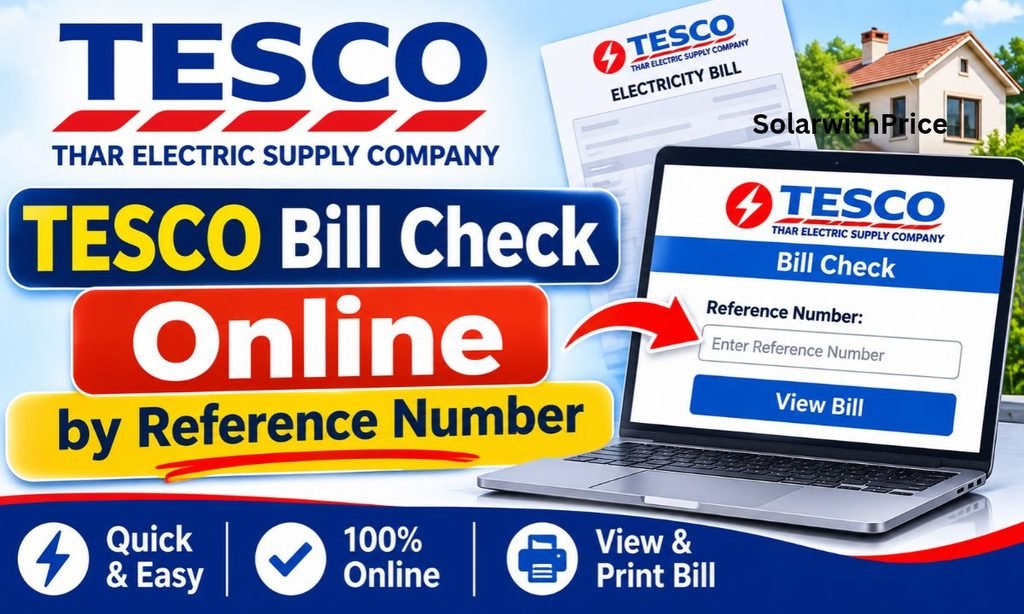
Want to check your TESCO bill online? You only need one thing: your reference number. With it, you can see your bill in about a minute, from any phone, with no login and no trip to the office.
This guide shows you exactly how to do it, step by step. It also covers what to do when the bill does not load, how to pay from your phone, and where to complain if the bill looks wrong.
Check TESCO Bill Online: Quick Steps
TESCO stands for Tribal Areas Electric Supply Company. It is the company that bills electricity users in the merged tribal districts of Khyber Pakhtunkhwa.
Here is the fastest way to check your TESCO electricity bill:
- Find your reference number on any old bill.
- Open your phone browser and go to the official bill portal used by Pakistan’s power companies, or open the TESCO website.
- Choose TESCO from the company list if the page asks.
- Type your reference number carefully.
- Tap the search or submit button.
- Your bill appears on the screen. Take a screenshot or download it.
That is all. If these steps worked, you can stop reading. If they did not, the sections below fix the most common problems.
Pro tip: Do the check on a day when the internet is strong in your area. In hilly areas, mobile data can be slow in the evening. Early morning usually loads faster.
What Is TESCO and Who Gets Its Bill?
TESCO is a government-owned distribution company, often called a DISCO. A DISCO is the company that takes electricity from the national grid and delivers it to your house, shop, or mosque. It also reads meters, prints bills, and collects money.
TESCO serves the districts that were once known as FATA. Before 2018, these areas were called tribal agencies. After the merger with Khyber Pakhtunkhwa, they became districts. TESCO’s customers live in places such as:
- Khyber
- Mohmand
- Bajaur
- Orakzai
- Kurram
- North Waziristan
- South Waziristan
If your house is in Peshawar city, Mardan, or Swat, you are not a TESCO customer. Those areas belong to PESCO. This confusion causes many failed searches, so check your area first.
How to Check Your TESCO Bill Online (Step by Step)
Let us go slowly through the process, so even a first-time user can do it.
Method 1: Check TESCO Bill by Reference Number
This is the most popular and most reliable method.
- Open your phone browser. Chrome works well.
- Go to the official bill checking page. Pakistan’s power companies share one billing system, so the same kind of page works for TESCO and other DISCOs.
- Select TESCO if there is a drop-down list.
- Enter your reference number. Do not add spaces or dashes unless the page asks for them.
- Press the search button.
- Read your bill. Check the units, the amount, and the due date.
Most people finish this in under one minute.
Method 2: Check TESCO Bill by Consumer ID
Some pages also accept a consumer ID. This is a shorter number printed near the reference number on your bill. If one number fails, try the other. Never use your meter number. The meter number is printed on the meter itself, and it does not open any bill.
Method 3: Check Your Bill by Mobile App
Some bill-checking apps let you save your reference number. After that, you only tap once each month. Apps are handy if you check bills for your parents, brothers, or shop as well.
Pro tip: Save your reference number in your phone contacts under a name like “TESCO Home Bill.” Then you can copy and paste it every month. This saves time and stops typing mistakes.
Method 4: Ask Someone in Your Family or Village
This sounds simple, but it works. Many tribal villages have a shopkeeper, student, or relative in a city who can check the bill for you. Just send them the reference number on WhatsApp. This is a real-life lifesaver when you have poor signal at home.
Where to Find Your TESCO Reference Number
Your reference number is the key to everything. Without it, you cannot check your bill by yourself.
Look at the Top of Your Paper Bill
On any TESCO bill, look at the top section. You will see a box with a label like “Reference No.” The number there is usually 10 to 14 digits long. It does not change from month to month. It stays with your connection.
Old Bills Are Gold
If you have any old bill, even one from two years ago, it carries the same number. Keep one old bill in a safe place. Many families take a photo of it and save it in their phone gallery.
Ask Your Neighbor or Landlord
If you rent a house, your landlord probably has the reference number. If you live in a shared compound, a neighbor with the same meter may also have it. Always ask first, because meters are sometimes shared by mistake.
Visit the TESCO Office
If you cannot find the number anywhere, go to your local TESCO sub-division office with your CNIC copy and meter details. Staff can look up your connection. Bring the name on the connection, because they may ask for it.
Reference Number vs Other Numbers
People mix up numbers all the time. Here is a simple table:
| Number | Where You See It | Can It Open Your Bill? |
| Reference number | Top of the bill | Yes |
| Consumer ID | Near the reference number | Sometimes |
| Meter number | On the meter body | No |
| CNIC number | Your ID card | Usually no |
| Mobile number | Your SIM | No |
Real-life note: A common mistake is typing the meter number into the box. The page then says “no record found,” and people think the system is broken. It is not. The number was wrong.
What Your TESCO Bill Shows
A TESCO bill looks crowded at first. Once you know the parts, it is easy to read.
Main Parts of the Bill
- Customer name and address: Check that they match your connection.
- Reference number: The same number you used to search.
- Meter reading: The previous reading and the present reading.
- Units consumed: Present reading minus previous reading.
- Billing month: The month the bill covers.
- Due date: The last day to pay without a penalty.
- Current bill: The amount for this month only.
- Arrears: Money you did not pay in earlier months.
- Payable within due date: The amount to pay on time.
- Payable after due date: The higher amount if you pay late.
Taxes and Extra Charges
Your bill is not only for units. It may also include taxes, adjustments, and other charges set by the power regulator. The exact items can change over time. Do not worry if a line looks new. Compare it with last month’s bill and see what changed.
How to Check If Your Units Are Correct
Here is a simple trick. Take this month’s reading and last month’s reading from the bill. Subtract the old one from the new one. The answer should match the units consumed.
If you can walk to your meter, compare the number on the meter display with the number on the bill. A big difference is a red flag. Take a photo of the meter that day. This photo will help you if you need to file a complaint.
Key Bill Terms in Simple Words
| Term | Simple Meaning |
| Units | Electricity used. One unit equals one kilowatt-hour (kWh). |
| Arrears | Old unpaid money added to the new bill |
| Due date | Last date to pay on time |
| Late payment surcharge | Extra money charged if you pay after the due date |
| Average bill | A bill made from guesses, not from a real meter reading |
| Tariff | The rate per unit for your type of connection |
TESCO Bill Not Showing? Common Reasons
Sometimes you enter the number and nothing happens. Do not panic. Most problems have a simple fix.
1. Wrong Reference Number
This is the number one reason. One wrong digit gives you an error or someone else’s bill. Check every digit twice. Compare your typing with the paper bill.
2. Wrong Company Selected
If you pick PESCO, IESCO, or another company by mistake, the search fails. Always select TESCO for tribal district connections.
3. The Bill Is Not Yet Generated
Bills are made after the meter reading is taken. If your reading date has not come yet, the new bill will not show. Try again after a few days. Most bills appear within the first part of the month, but timing can vary.
4. Server Is Busy
Many people check bills on the last days before the due date. The page can become slow or stop working. Try early in the morning or late at night. Avoid the final day.
5. New Connection
A new connection may not appear for the first month or two. The system needs time to link your meter, your reference number, and your reading. If your new connection bill is missing, visit the TESCO office and ask for your first bill copy.
6. Slow Internet or Browser Problem
Clear your browser cache, or try a different browser. Switching from Wi-Fi to mobile data can also help. A simple page refresh fixes many problems.
7. Meter Is Faulty or Reading Is Missing
If the meter is burnt, broken, or locked inside a closed house, the reader cannot note the reading. This can cause a delayed bill or an average bill. Report it to your sub-division office.
8. Page Is Under Maintenance
Sometimes the billing system is updated. If so, you will see an error or a blank page. Wait a few hours and try again.
Problem and Fix Table
| Problem | Most Likely Reason | What To Do |
| “No record found” | Wrong number | Re-check digits |
| Page keeps loading | Slow server or net | Try later or switch network |
| Someone else’s name appears | Wrong reference number | Compare with your paper bill |
| Bill shows zero | Reading not yet entered | Wait, then check again |
| New connection not found | Not yet registered in system | Visit sub-division office |
| Very high units | Meter or reading error | Photograph meter, file complaint |
Pro tip: If nothing works online, do not wait for the last day. Visit the sub-division office at least three to four days before the due date. Staff can give you a duplicate bill, which you can use to pay.
Download, Print, and Pay Your TESCO Bill
Once your bill is on the screen, you have three good options.
How to Download Your TESCO Bill
- Open the bill on the page.
- Look for a Download or Save as PDF button.
- If there is no button, use your phone’s Share or Print option and choose Save as PDF.
- Save it in a folder named “Electricity Bills.”
Keep each month’s bill. If a dispute happens, old copies are strong proof.
How to Print Your TESCO Bill
- Use the Print button on the page, or open the saved PDF.
- Print it in A4 size.
- Make sure the barcode, reference number, and due date are clear.
- If you do not own a printer, any computer shop or photocopy shop nearby can print it for a small fee.
Is a Printed Copy Needed to Pay?
Not always. For online and wallet payments, the reference number is usually enough. For a bank counter, a printed copy helps, because the cashier can scan or read it quickly. A duplicate bill is valid for payment, so you do not need to wait for the original.
Ways to Pay Your TESCO Bill
| Payment Method | Needs Printed Bill? | Best For |
| Mobile wallet | No | Fast payment, no queue |
| Mobile banking app | No | People with bank accounts |
| Internet banking | No | Computer or laptop users |
| Bank branch | Better to have | People who like cash payment |
| ATM | Sometimes | Debit card holders |
| Local agent or shop | Usually yes | Areas with no bank nearby |
Real-life tip: Always keep the payment receipt or screenshot. If your payment does not show in the next bill, this proof solves the problem fast. Keep it for at least six months.
TESCO Service Area and Local Billing Notes
TESCO covers a wide, rough area, and local conditions affect billing more than people expect.
Where TESCO Works
TESCO supplies electricity to the merged districts, each with its own local office structure. Offices are grouped into circles, divisions, and sub-divisions. Your bill usually belongs to your local sub-division. That is the office to visit for meter, reading, or bill questions.
Why Billing Can Be Harder Here
- Hilly roads make it harder for meter readers to reach homes.
- Weak mobile signal slows online checking.
- Load shedding can affect your internet at home.
- Compound houses often have more than one meter, and families mix them up.
- Seasonal movement of families means some houses are empty for months.
Seasonal Homes and Empty Houses
If your family lives in a city for part of the year, your village house still gets a bill. Fixed charges may be added even if you use few units. Ask the local office if your connection can be marked correctly. Keep paying small bills on time so arrears do not pile up.
Keep Your Details Updated
Make sure the name, CNIC, and mobile number on your connection are current. Without a correct mobile number, you may miss alerts or notices. Visit your sub-division office with your CNIC and a recent bill to update the record.
Pro tip: If the connection is in a deceased relative’s name, apply for a name change early. Later problems such as disputes, disconnection notices, or inheritance questions are easier to handle when the name is correct.
Paying a TESCO Bill by Mobile Wallet: The Most Practical Option in Tribal Districts
In many tribal areas, the nearest bank can be an hour away by road. Mobile wallets solve this problem. If you have a smartphone or even a registered wallet account, you can pay from home.
Why Mobile Wallets Work Well Here
- No travel cost. You save fuel or fare.
- No long queue. You do not lose half a day.
- Fast confirmation. You get an SMS or in-app receipt.
- Safe for small amounts. You do not carry large cash.
- Works for the whole family. Sons working in cities can pay from far away.
How to Pay a TESCO Bill by Wallet
- Open your wallet app, such as JazzCash or Easypaisa.
- Go to Bill Payment, then choose Electricity.
- Select TESCO from the company list.
- Enter your reference number.
- Check that the name and amount match your bill.
- Confirm with your PIN.
- Save the receipt screenshot.
Wallet Safety Tips
- Never share your PIN or OTP with anyone, even a person who says he is from the electricity office.
- Check the name and amount before pressing confirm.
- Do not pay through unknown links sent on WhatsApp or SMS.
- Pay before the due date, because wallet payments can take a short time to reflect.
Wallet Payment Troubleshooting
| Issue | What It Means | What To Do |
| Money cut, no receipt | Slow confirmation | Wait a few hours, check history |
| “Invalid reference” | Wrong digits or company | Retype carefully, select TESCO |
| Wrong amount shown | Old or updated bill | Refresh and re-check the bill |
| Payment failed | Network or balance issue | Try again with a good signal |
Real-life experience: A common story goes like this. A man pays on the last day at night, and the system shows the payment only after the due date. To avoid a surcharge fight, pay at least two days early and keep the screenshot.
TESCO Network Expansion in Waziristan and Bajaur: What New Connections Should Know
Many families in North Waziristan, South Waziristan, and Bajaur are now getting electricity lines, new transformers, and fresh meters. If you are one of them, you need to know the basics.
What a New Connection Usually Needs
Requirements can change, so always confirm with your local office. In general, you may be asked for:
- CNIC copy of the applicant
- Proof of ownership or permission to use the land or house
- Passport-size photo
- Application form
- Demand notice fee, which you pay after the office checks your site
Steps for a New Connection
- Apply at your local TESCO sub-division office.
- Wait for the site survey. Staff check the distance from the nearest pole or transformer.
- Receive the demand notice. This lists the amount to pay.
- Pay the fee at the place named on the notice.
- Get the meter installed.
- Receive your reference number. Write it down at once.
After Installation: Do These Four Things
- Photograph the meter with its first reading.
- Save your reference number in your phone.
- Keep every receipt in one folder.
- Check your first bill online when the month ends.
Why Your First Bill May Look Odd
The first bill can be short, long, or late. The meter reading cycle may not match the day your meter was installed. If the first bill shows a large amount, compare units with your photo of the first meter reading.
Avoid Illegal Connections
Taking power through a kunda (an illegal hook) may seem cheap, but it brings fines, disconnection, and danger. It can also overload the transformer, causing cuts for the whole street. A legal connection gives you a bill, a record, and the right to complain.
Pro tip: When a new line or transformer comes to your village, ask your elders to share the load and meter rules with everyone. A transformer overloaded by many illegal hooks fails again and again, and every household suffers.
TESCO Helpline, Complaints, and Other Services
Sometimes the online check is not enough. You may need a person to fix a real problem.
Common Reasons to Contact TESCO
- Bill is much higher than usual
- Meter is running too fast or has stopped
- Wrong name or address on the bill
- No bill for several months
- New connection or load increase
- Name change or tariff change
- Transformer or line fault in your area
Who To Contact
| Need | Best Contact |
| Wrong bill or reading | Sub-division office |
| New connection | Sub-division office |
| Power outage or line fault | Complaint center or local lineman office |
| Unsolved complaint | Divisional or circle office |
| Serious unresolved dispute | Regulator’s consumer complaint process |
For phone numbers, use those printed on your bill or listed on the official TESCO website, because numbers can change. The head office is in Peshawar.
How to Write a Good Complaint
A clear complaint gets faster action. Include:
- Your name and CNIC
- Reference number
- Meter number
- Billing month
- What is wrong, in two or three simple lines
- Photos of the meter and the bill
- Your phone number
Step-by-Step Complaint Plan
- Visit your sub-division office with a copy of the bill and meter photo.
- Submit a written complaint and ask for a complaint number or stamped copy.
- Follow up after a few days.
- If nothing happens, go to the next higher office.
- If the problem remains, you can use the power regulator’s complaint system for consumer issues.
Should You Pay a Disputed Bill?
This is a very important point. Many people stop paying completely when they dispute a bill, and then they face disconnection. A safer path is to ask the office about paying a reasonable amount while your complaint is under review. Get any promise in writing, or at least on a stamped application copy.
Pro tip: Never hand cash to a middleman for “fixing” a bill. Always pay through a bank, wallet, or official counter and keep the receipt.
Other TESCO Services
Besides bills, TESCO handles:
- New connections
- Meter replacement
- Load extension (increasing your connection’s capacity)
- Name change and ownership transfer
- Disconnection and reconnection
- Complaints about outages and low voltage
Check Another Company’s Electricity Bill
Maybe you work in another city or own property in different areas. The method is almost the same everywhere in Pakistan. You still need the reference number for each connection. Just pick the right company.
| Company | Full Name | Area Served |
| TESCO | Tribal Areas Electric Supply Company | Merged tribal districts |
| PESCO | Peshawar Electric Supply Company | Peshawar and most of Khyber Pakhtunkhwa |
| HAZECO | Hazara Electric Supply Company | Hazara region |
| IESCO | Islamabad Electric Supply Company | Islamabad and nearby districts |
| LESCO | Lahore Electric Supply Company | Lahore and nearby districts |
| GEPCO | Gujranwala Electric Power Company | Gujranwala region |
| FESCO | Faisalabad Electric Supply Company | Faisalabad region |
| MEPCO | Multan Electric Power Company | South Punjab |
| HESCO | Hyderabad Electric Supply Company | Hyderabad region |
| SEPCO | Sukkur Electric Power Company | Sukkur region |
| QESCO | Quetta Electric Supply Company | Balochistan |
| K-Electric | K-Electric | Karachi |
Tips for Checking Bills of Other Companies
- Always choose the right company before typing the number.
- Keep a list of reference numbers for each house or shop, with a label like “Lahore flat” or “Village house.”
- Check all bills in one sitting each month. Set a phone reminder for the same date.
- For rented property, ask the tenant to share a photo of the bill so you know it is paid.
Pro tip: If you manage electricity bills for your whole family, create a simple note or sheet with four columns: place, reference number, due date, paid or unpaid. It takes five minutes to set up and saves many late fees.
Smart Habits to Save Money and Avoid Bill Trouble
A few monthly habits will protect you from stress.
- Check your bill every month, even if no paper bill arrives.
- Pay early, ideally 3 to 5 days before the due date.
- Photograph your meter at the start of each month.
- Keep receipts in one folder.
- Turn off extra lights and fans when not in use.
- Use energy-saving LED bulbs instead of old bulbs.
- Do not overload extension boards.
- Report meter faults quickly.
Simple Ways to Reduce Your Bill
| Habit | Why It Helps |
| Switch to LED bulbs | Uses far less electricity than old bulbs |
| Iron clothes in one batch | Irons use a lot of power |
| Keep fridge door shut | Saves cooling energy |
| Use fans instead of heavy coolers where possible | Lower load |
| Switch off chargers when idle | Removes wasted standby power |
Small savings repeat every month, so they add up over a year.
Checking your TESCO bill online by reference number is simple once you know the steps. Find your reference number at the top of an old bill, enter it on the official bill page, and your bill appears in seconds. You can then download it, print it, or pay it right from your phone.
If the bill does not show, check the digits, make sure you selected TESCO, and try again at a quieter time. Keep your payment receipts, meter photos, and bill copies. These small habits protect you from late fees and wrong charges. Mobile wallets are especially useful in the tribal districts because they save a long trip to the bank.
Final Words
Losing your TESCO bill is a small problem with a very easy fix. You do not need to run to the office or wait in a long line. Your phone and your reference number are enough to get a fresh copy in just a few minutes. Once you try it, you will feel how simple the whole process is.
Make it a habit to download your bill every month. Save the PDF in a folder on your phone or send it to your email. If the website is slow or your internet is weak, you will still have a copy ready. Paying on time also saves you from late fees and extra stress.
I hope this guide helped you today. If you know someone who struggles to find their bill, please share these steps with them. A small tip can save a lot of time for family and friends. Keep your reference number safe, pay on time, and stay worry-free!
FAQs
How do I check my electricity bill?
Log in to your provider’s website or app with your account or reference number. Your latest bill shows on the dashboard. You can also dial the USSD code or check the SMS your provider sends each month.
How can we check bills online?
Open the official website or mobile app of your electricity company. Enter your reference number or account number. Your bill will load in seconds, and you can view it on screen.
How to check Tesco bill online?
Go to the Tesco bill page and type your reference number. Tap the search or submit button. Your bill will appear, and you can download or print it.
How to check electric bill online?
Visit your electricity company’s website and open the bill section. Add your account or reference number. Check the amount and due date, then save the PDF.
Can I check my meter balance online?
Yes, you can. Prepaid users can use the USSD code or the mobile app to see their units. Some providers also show the balance on the website after you log in.
How to check token number?
Your token number comes by SMS right after you buy electricity. If you lose the message, use the app or USSD menu to get a reprint. You can also check your payment receipt for the token.
How do I check my postpaid bill?
Use your account number on the official website or app. You can also dial the USSD code or send an SMS request to your provider. Your bill amount and due date will show right away.
How to check remaining balance on prepaid meter?
Press the meter’s display button to see your units left. You can also use the USSD code or the app for a quick check. Check it often so you never run out at night.
How to check KPLC account name?
Start a payment through M-PESA using the KPLC paybill number and enter your account number. The confirmation screen shows the account name before you pay. If the name is wrong, cancel and check your number.
How do I pay my KPLC bill online?
Open M-PESA, choose Lipa na M-PESA, then Pay Bill. Enter the KPLC paybill number and your account number, then type the amount and your PIN. You will get a confirmation SMS in a few seconds.

I AM CH SAMI ULLAH, THE TOP SOLAR PANEL SELLER AND INSTALLER IN PAKISTAN, WITH CHEAPEST RATES, OF TOP QUALITY. GET THE LATEST RATES ON SOLAR PANELS, FANS, ACs, TUBE WELLS, SOLAR FRIDGES, AND SOLAR ATTA CHAKKIS. WHATSAPP (03461320821)